RPG Maker VX Ace Discovery
It has been… *checks clock* some time since the last post, hoping to get some more articles here in a semi-consistent manner.
It’s late at night, I’ve been going back and forth around a specific RPG Maker VX Ace game whose developer has completely disappeared off the face of internet. The game has a lot of bugs, works half of the time and due to the constraints of the game engine, looks like absolute garbage at a small resolution on my high DPI screen.
I have worked with RPG Maker, but my experience was majorly in MV and recently MZ, i had no idea of how VX Ace worked, but since it’s still RPG Maker in the end, i wanted to find a way to somehow extract the assets.
The game has a weird directory structure.
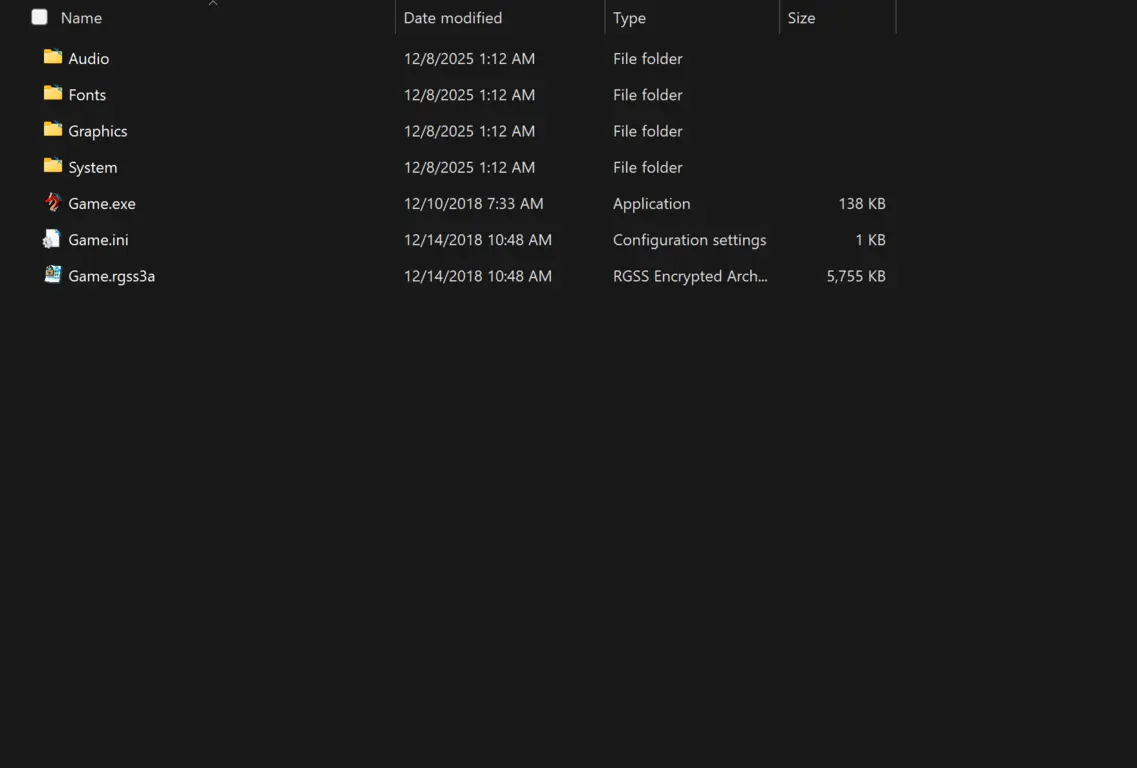
This is what a regular encrypted game directory looks like
Let’s explore it a bit,
Under Audio, Fonts, Graphics and System, we have all the regular RPG Maker assets in their unencrypted formats. These files are created by default on every RPG Maker project, albeit a bit differently between versions (we will get to that).
But this is useless for us, we want the changes that are made, not just the default assets. For that we have the Game.rgss3a file located right next to the executable.
When a RPG Maker game is about to be “Deployed” (I will call this Compiling even though it isn’t) the developer is able to place a password in order to encrypt their custom game data such as Common Events, Images, Tilesets, Scripts etc.
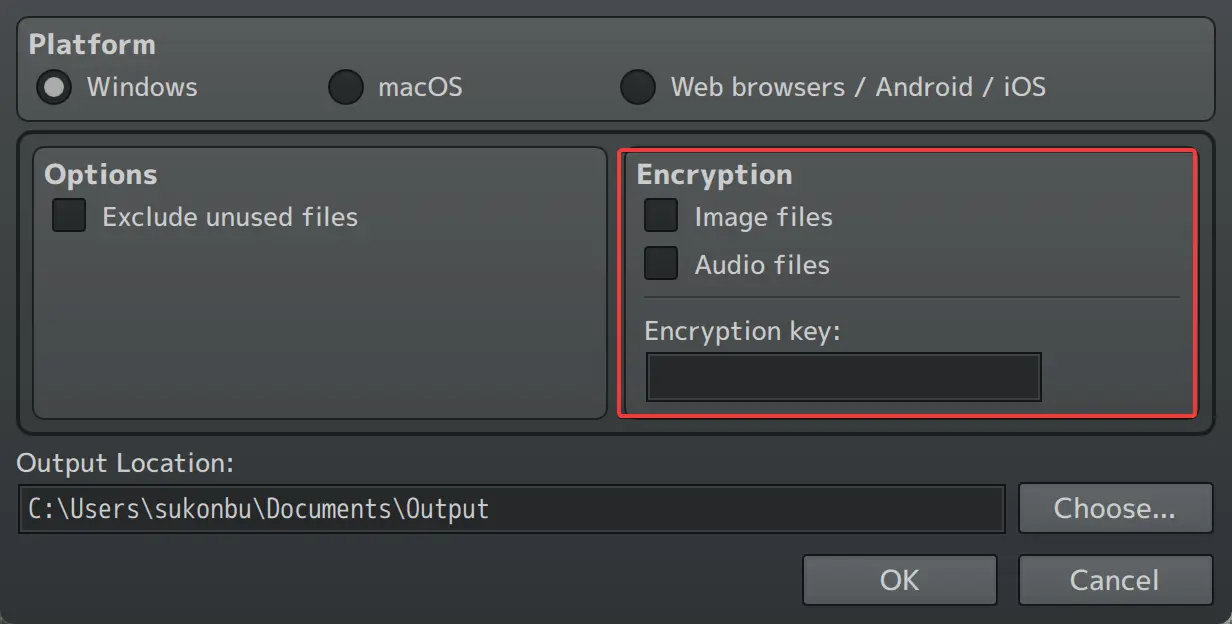
The deployment screen from RPG Maker MZ
If the developer does not encrypt their games, the assets would be in their usual spots and we wouldn’t have a .rgss3a file, since this file is specifically for encrypted games. We need a way to get into this.
In my initial research, it’s quite easy to get into this file and extract the assets. I used the first website I’ve found which is called Game Resources Viewer (not endorsed)
I’ve put our encrypted file in there, and wouldn’t you know it, we got the data unencrypted.
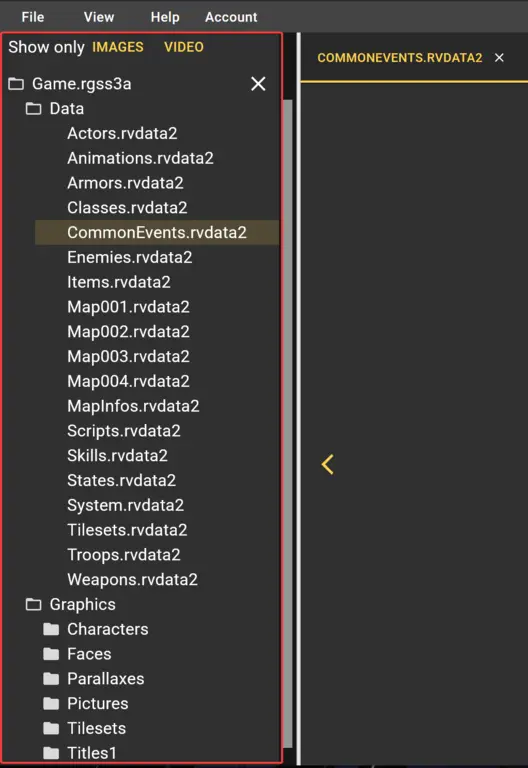
Voila! We got the assets!
At this point, I forgot some crucial information about how RPG Maker projects work, so I had to make it harder for myself. I needed a .rjproj file which I could open with my RPG Maker MV engine and hope that the engine would convert the old version to the new one by itself. I did some research online to come across a tool called RPGMakerDecrypter with a supposed feature to “…give a best guess in creating the original project…” which got me excited. I quickly downloaded the latest release and got to work.
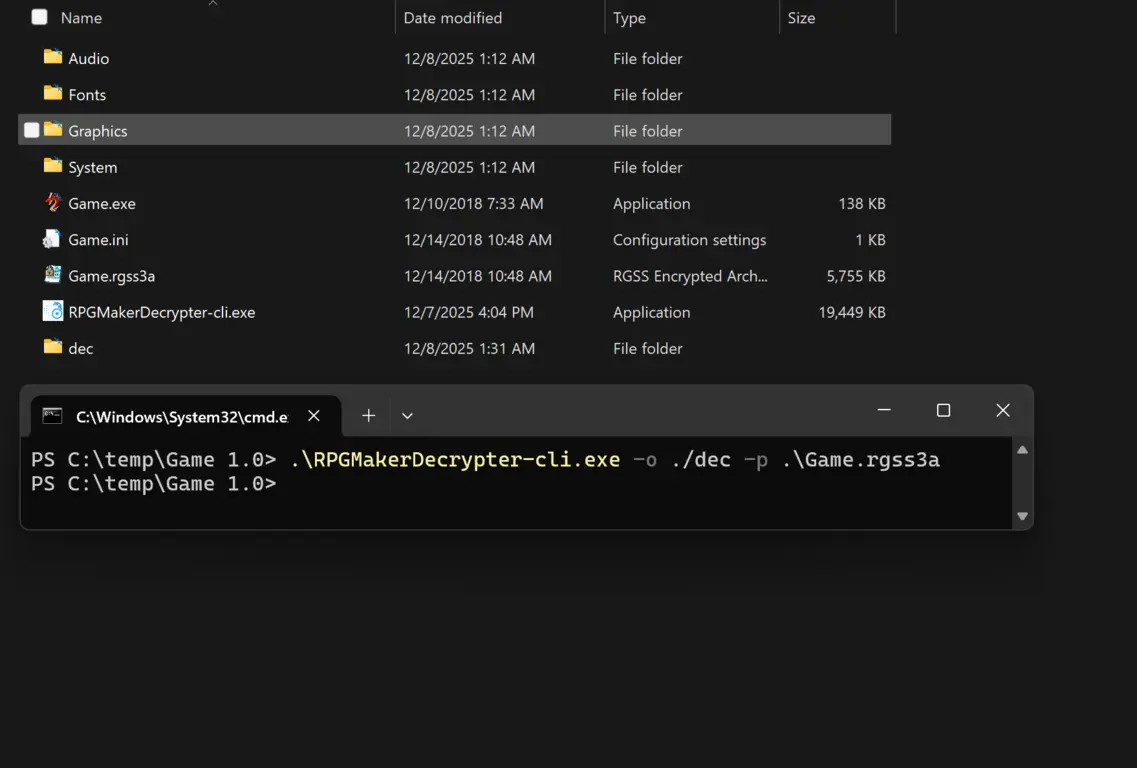
Well, that was easy…
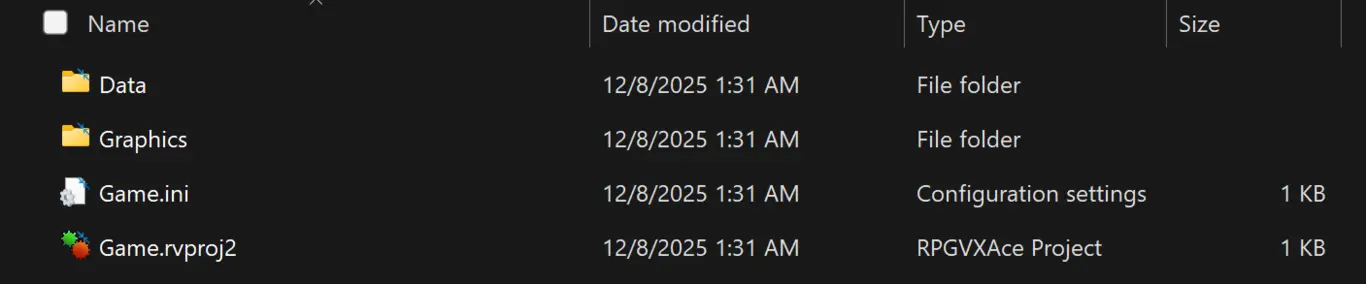
There it is, the project file!
I didn’t own RPG Maker VX Ace and I was not paying that much for an engine this old, so I downloaded a trial version from the internet, I was scared that the trial version would have some limitations, but other than the lack of a deployment option, I never encountered a single trial limitation.

30 days, no registration needed to use the trial, no complaints!
Due to me doing this out of my own regard without permission from the game’s developer, while it’s legal for me to reverse engineer games myself, i don’t want to share images from the game just in case.
The game opened and ran quite fine, it had some errors occurring but I had to merge the unencrypted assets with the encrypted ones to get rid of them. Afterwards I used a script to turn the game data into RPG Maker MV format and had to deal with a bunch of problems there. As long as your VX Ace game doesn’t have custom scripts (RPG Maker VX Ace uses Ruby, meanwhile newer engines MV and MZ use Javascript, unlike scripts on older engines these rely on a Plugin system), it’s fairly easy to convert games to modern engines, although you do have to upscale most of the graphics by 150% (sometimes 133%) and convert audio into .ogg, and give up on using animations from VX Ace because while older engines used multiple images to create animations, the newer ones seem to use a special format that looks a lot like video.
Now I was finished with this game, i wanted to turn another game into a project as well. However there was a problem…
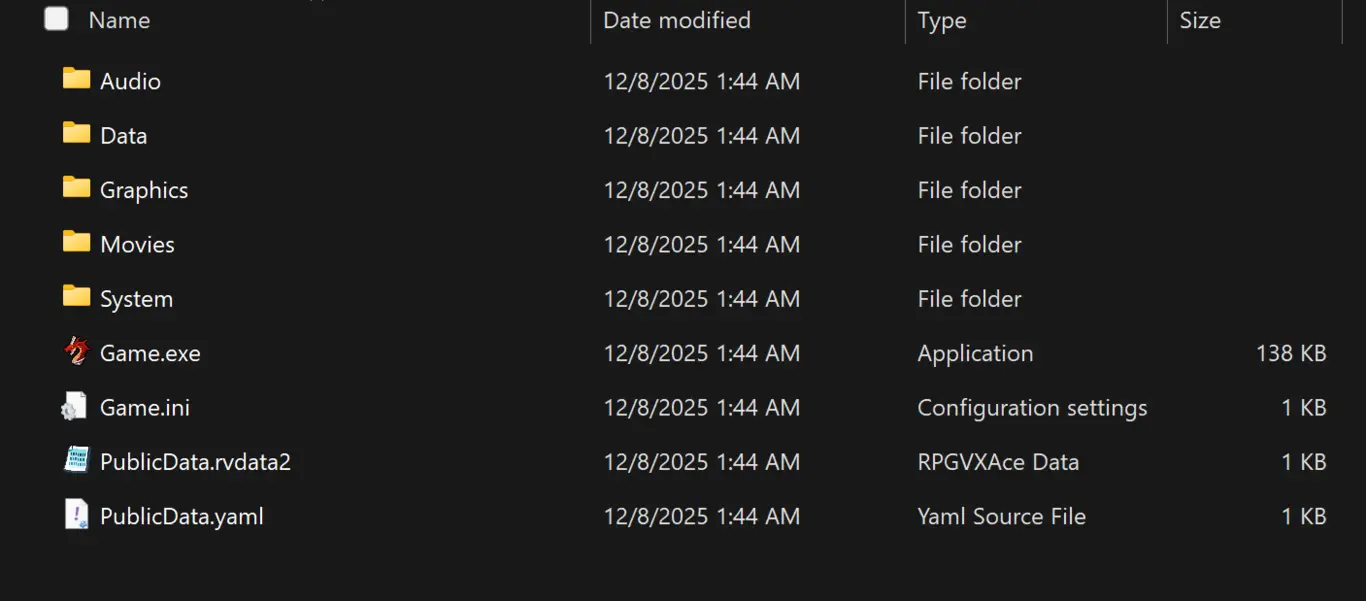
Where is the .rgss3a file?
In order for my decryptor to work, it needed a .rgss2a file, and it would not accept anything else…
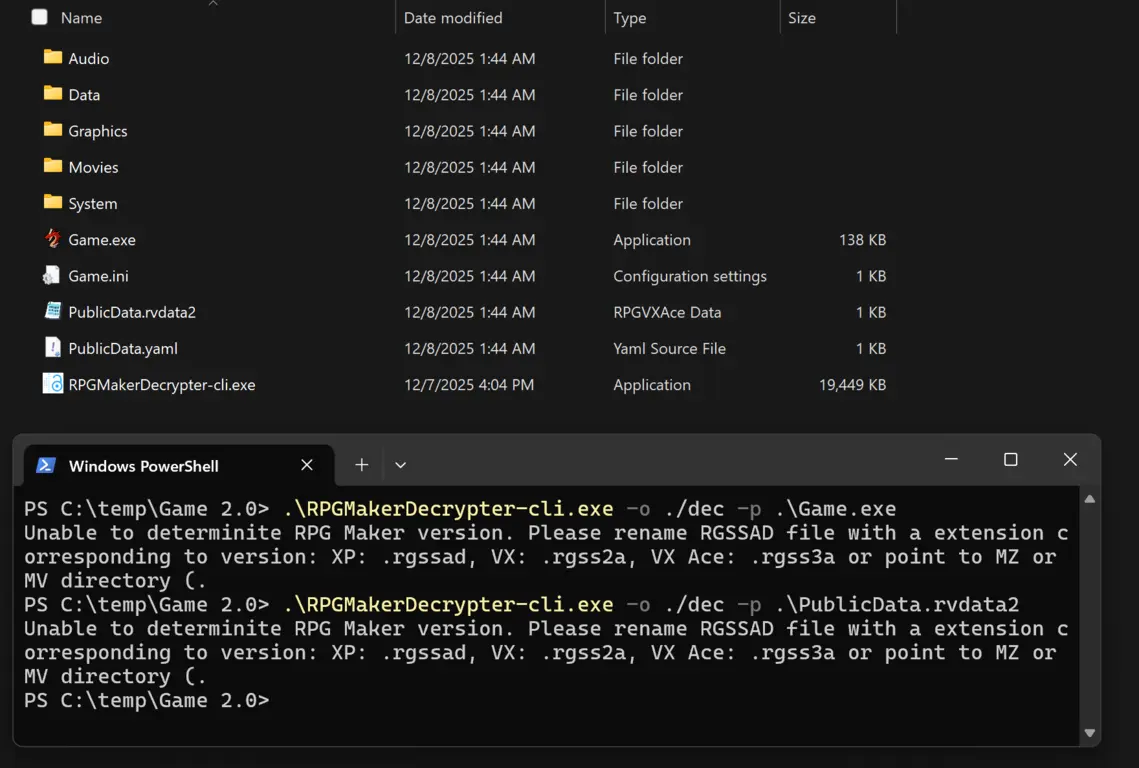
Why can’t you just work?
Then I had a realization, how does a freshly created RPG Maker project look like?
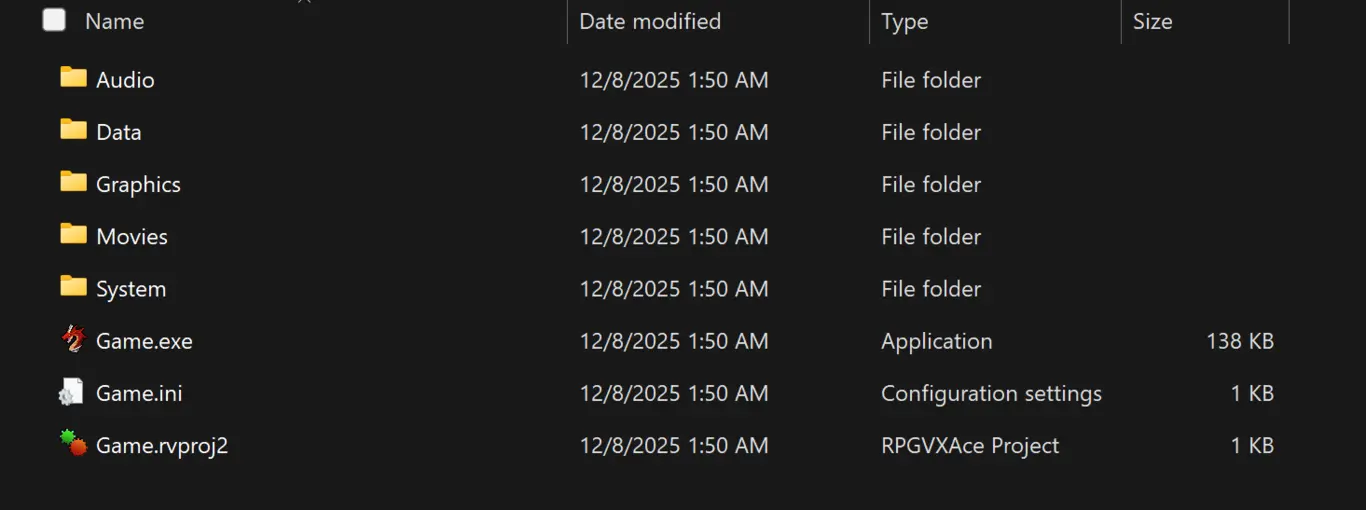
A fresh RPG Maker VX Ace project
This looks awfully like a deployed game, so let’s see what is inside of the .rvproj file…
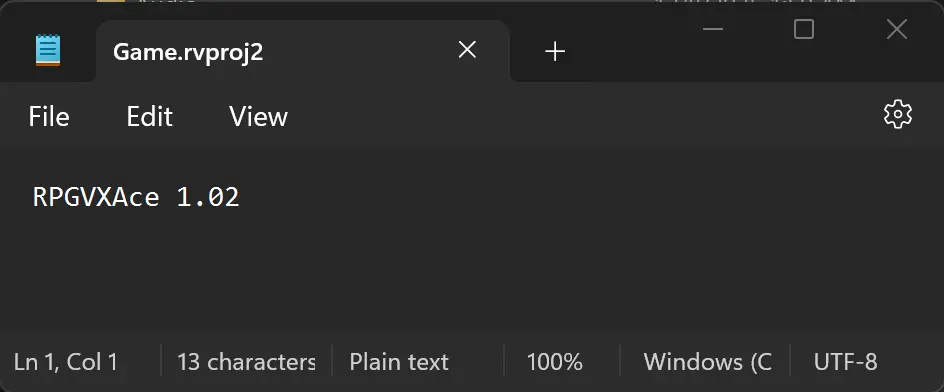
You have to be kidding me…
Turns out, the rvproj file is just a simple text document that contains the engine (and maybe corescript) information. Copying this file into a non-encrypted deployed game simply turns it into a project file in which you can edit the database however you like. The project information such as the game’s name is also stored in the database unlike my assumption of being stored in the project file. This means instead of having to download and unencrypt with this application, I could have very well created a new RPG Maker project, then copied the extracted data into my new project and all would work well. The more you know…